
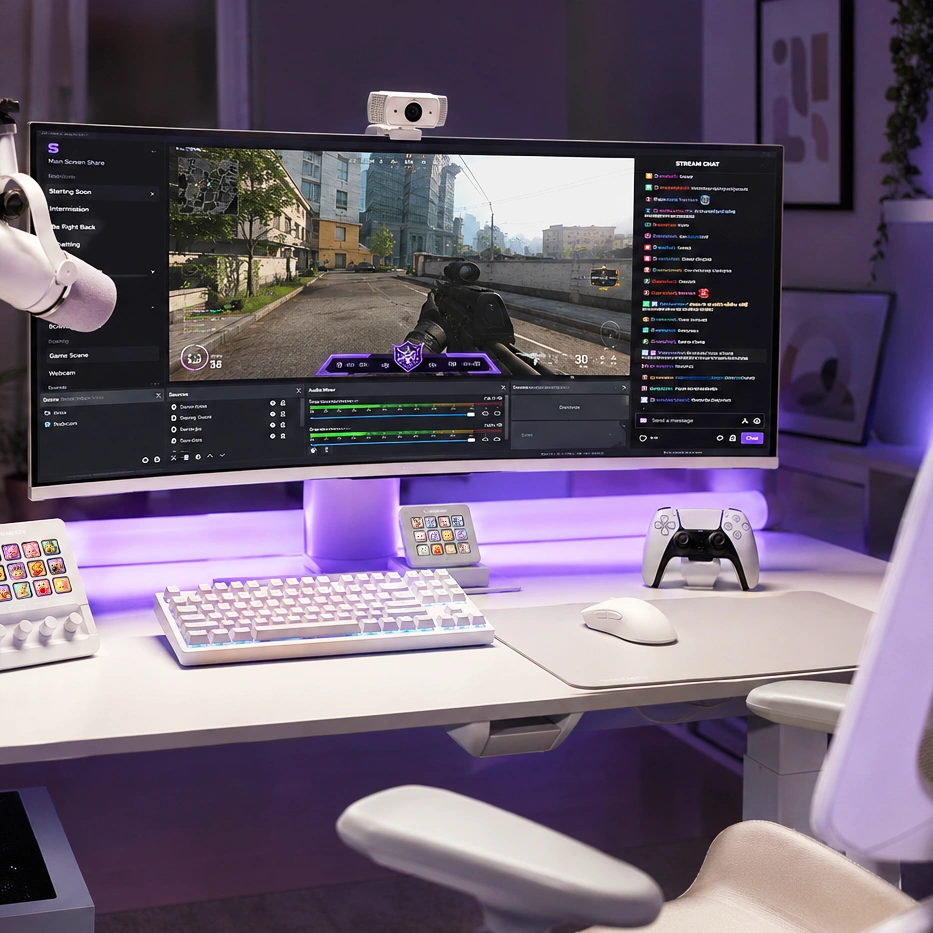
Starting your first livestream is exciting, but it can also feel overwhelming. Between choosing the right software, setting up your microphone, and designing your channel, it’s easy to overlook important details. Fortunately, you don’t need an expensive studio to create a professional-looking stream. A few essential tools, thoughtful preparation, and consistent branding can help you make a great first impression.
Here’s a checklist of what every new streamer should have before going live.
1. A Reliable Computer and Internet Connection
Your computer and internet connection are the foundation of every stream.
Before going live, make sure you have:
- A stable broadband connection with sufficient upload speed
- Updated graphics drivers and operating system
- Enough storage space for recordings
- Applications closed that aren’t needed during streaming
A stable stream provides a better experience for viewers than streaming at the highest possible quality with frequent lag or dropped frames.
2. Streaming Software
Most creators use dedicated broadcasting software to manage their livestreams.
Popular options include:
- OBS Studio
- Streamlabs Desktop
- XSplit Broadcaster
OBS Studio is one of the most widely used choices because it’s free, flexible, and supports a wide range of plugins and customization options.
3. A Good Microphone
Viewers are often more forgiving of average video quality than poor audio.
A clear microphone helps you:
- Sound more professional
- Reduce background noise
- Improve viewer engagement
- Make commentary easier to understand
Take a few minutes to test your microphone levels before every stream.
4. Webcam (Optional but Recommended)
A webcam helps viewers connect with you and adds personality to your broadcasts.
If you prefer not to appear on camera, you can still create engaging content through gameplay, commentary, or VTuber avatars.
If you do use a webcam, position it in good lighting and avoid cluttered backgrounds whenever possible.
5. Stream Overlay and Alerts
Visual branding helps your stream look polished from the very first broadcast.
A complete Stream Overlay Pack can include:
- Stream overlays
- Animated alerts
- Webcam frame
- Event box
- Goal box
- Twitch panels
- Profile banners
- Profile picture
- Subscriber badges
- Emotes
Matching graphics give your channel a professional appearance and help viewers recognize your brand.
6. Organized OBS Scenes
Instead of streaming from a single layout, create separate scenes for different moments.
Recommended scenes include:
- Starting Soon
- Live Gameplay
- Just Chatting
- Be Right Back
- Stream Ending
Well-organized scenes make your stream feel smoother and more engaging.
7. Complete Your Twitch Profile
Many first-time visitors will explore your channel before deciding to follow.
Make sure your profile includes:
- Profile picture
- Banner
- About section
- Stream schedule
- Social media links
- Twitch panels
A complete profile builds credibility and makes your channel feel more established.
8. Test Everything Before You Go Live
Always perform a short private test stream before your first public broadcast.
Check that:
- Your microphone is working.
- Game audio is balanced.
- Alerts appear correctly.
- Webcam is positioned properly.
- Overlays display as expected.
- Internet connection is stable.
Testing in advance helps you avoid technical problems during your live stream.
9. Plan Your First Stream
Don’t rely entirely on improvisation.
Prepare a simple outline:
- What game or activity you’ll stream
- Topics to talk about
- Break times
- Stream duration
- Goals for the session
Having a plan makes it easier to stay confident, especially if you’re streaming to a small audience.
10. Be Consistent
Success on Twitch rarely happens overnight.
Focus on:
- Streaming regularly
- Improving your content
- Learning from each broadcast
- Engaging with viewers
- Refining your setup over time
Small improvements made consistently often have a greater impact than constantly chasing perfect equipment.
Build a Stream You’re Proud to Share
Your first livestream doesn’t need to be perfect—it just needs to be ready. With reliable equipment, well-organized OBS scenes, clear audio, and professional branding, you’ll create a welcoming experience that encourages viewers to return.
Our collection of Creator Streaming Assets includes Stream Overlay Packs, Animated Alerts, Webcam Frames, Twitch Panels, Profile Graphics, Subscriber Badges, Emotes, and Stream Deck Icon Packs designed to help new streamers build a polished channel with minimal setup. Whether you’re streaming on Twitch, YouTube, or Kick, matching graphics make it easier to create a consistent and memorable brand from day one.