
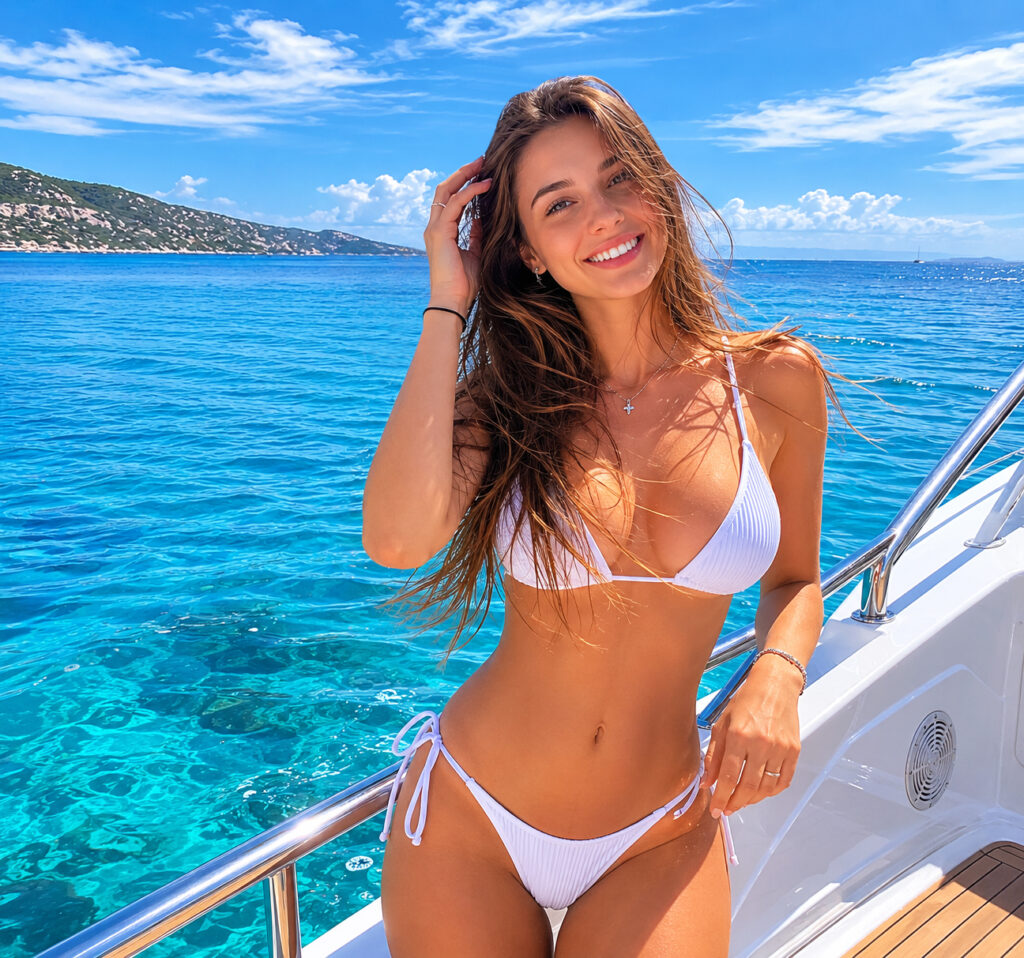
Professional portrait retouching is not about making someone look like a completely different person. Good retouching should enhance the photograph while preserving natural skin texture, facial features, and the character of the person.
A well-retouched portrait can look cleaner, more polished, and more professional without making the editing immediately obvious. In this guide, we’ll look at the most common improvements that can be made during professional portrait retouching.
What Is Portrait Retouching?
Portrait retouching is the process of professionally refining a photograph after it has been taken. Depending on the image and the desired result, retouching can include everything from subtle skin cleanup to more advanced corrections.
Typical portrait retouching may include:
- Skin cleanup
- Acne and blemish removal
- Wrinkle reduction
- Skin tone correction
- Teeth whitening
- Eye enhancement
- Hair cleanup
- Face and body adjustments
- Clothing corrections
- Background cleanup
- Color correction
- Lighting adjustments
The goal is not necessarily to apply every available technique. Professional retouching starts with identifying what the particular photograph actually needs.
Before and After: Skin Retouching
Skin is usually one of the most noticeable areas in a portrait.
Temporary imperfections such as acne, redness, small blemishes, or distracting spots can be removed while keeping natural features such as freckles, pores, and skin texture.
The goal
Before: Visible temporary blemishes, uneven areas, or distracting marks.
After: Cleaner-looking skin with natural texture and realistic detail.
Over-retouching can make skin appear completely smooth or plastic. A professional result should preserve enough texture to maintain a realistic appearance.
Removing Temporary Blemishes
Not every mark on the skin needs to remain in the final photograph.
Professional retouching can remove:
- Acne
- Pimples
- Small scratches
- Temporary redness
- Minor skin imperfections
- Distracting spots
This is particularly useful for portraits intended for professional profiles, social media, portfolios, websites, and advertising.
Reducing Wrinkles Naturally
Wrinkles and lines are a normal part of a person’s appearance. Retouching does not have to remove them completely.
Instead, a retoucher can reduce the visual prominence of deeper lines while preserving the natural structure of the face.
This approach produces a much more realistic result than completely smoothing every wrinkle.
Improving Uneven Skin Tone
Portraits can contain areas of uneven color caused by lighting, makeup, camera settings, or natural skin variation.
Retouching can help balance:
- Redness
- Dark areas
- Uneven tones
- Highlights
- Shadows
- Color transitions
The objective is to create more balanced skin while maintaining natural variation.
Enhancing the Eyes
Eyes are one of the main focal points of a portrait.
Subtle retouching can improve their appearance by:
- Removing distracting redness
- Enhancing natural contrast
- Brightening the eyes slightly
- Cleaning up small imperfections
- Enhancing catchlights
The key word is subtle. Excessive eye whitening or sharpening can quickly make a portrait look unnatural.
Teeth Whitening
Teeth can sometimes appear darker or more yellow because of lighting, camera settings, or natural coloration.
Professional retouching can reduce unwanted yellow or gray tones while keeping the teeth realistic.
The objective isn’t perfectly white teeth—it’s a natural, healthy-looking smile.
Hair Retouching
Stray hairs can be particularly distracting in professional portraits.
Retouching can be used to clean up:
- Flyaway hairs
- Stray strands
- Uneven hair edges
- Distracting background hairs
Hair can also be enhanced by improving contrast, definition, and overall tonal balance.
Face and Body Adjustments
Some portraits require subtle shape corrections.
Depending on the client’s requirements, professional retouching can include:
- Minor face shaping
- Jawline refinement
- Body contour adjustments
- Clothing adjustments
- Proportion corrections
These edits should be approached carefully. Small changes can improve the overall composition, while excessive reshaping can make the result look unrealistic.
Clothing and Wardrobe Cleanup
Clothing can contain small distractions that become obvious in a high-resolution portrait.
Retouching can help with:
- Wrinkles
- Lint
- Dust
- Small stains
- Uneven fabric
- Distracting folds
- Minor wardrobe imperfections
This is particularly useful for fashion, commercial, and professional portraits.
Background Cleanup
The subject isn’t always the only thing that needs attention.
A distracting background can reduce the impact of an otherwise strong portrait.
Retouching can remove or reduce:
- Small objects
- Background distractions
- Unwanted people
- Cables
- Spots
- Visual clutter
The result is a cleaner composition that keeps attention on the subject.
Color and Lighting Correction
Color correction is an important part of professional portrait retouching.
A portrait may require adjustments to:
- White balance
- Exposure
- Contrast
- Highlights
- Shadows
- Skin tones
- Overall color balance
These adjustments help create a consistent and polished final image.
Natural vs Heavy Portrait Retouching
Not every portrait needs the same level of editing.
Natural Retouching
Best suited for:
- Headshots
- LinkedIn profiles
- Business portraits
- Personal branding
- Lifestyle photography
The goal is to improve the photograph while keeping the person recognizable and natural.
More Advanced Retouching
May be appropriate for:
- Beauty photography
- Fashion campaigns
- Editorial portraits
- Advertising
- Creative projects
These images may require more extensive skin, hair, makeup, shape, lighting, and color adjustments.
The right level of retouching depends on the purpose of the photograph.
What Makes a Good Before and After?
A strong before-and-after comparison shouldn’t simply show that the image has been heavily edited.
Instead, it should demonstrate improvements that make the photograph stronger:
Before → After
- Distracting blemishes → Clean skin
- Uneven tones → Balanced skin color
- Stray hairs → Cleaner hairstyle
- Distracting background → Cleaner composition
- Flat color → Improved tonal balance
- Minor imperfections → Polished final portrait
The best retouching often becomes less noticeable precisely because it looks natural.
Professional Portrait Retouching for Your Photos
Whether you need a single portrait cleaned up or a larger collection of images edited consistently, professional retouching can help transform good photographs into polished final images.
Our Portrait Retouching service is designed for photographers, models, creators, professionals, and anyone who needs high-quality portrait editing. Depending on the image, the service can include skin retouching, blemish removal, facial and body adjustments, hair cleanup, teeth and eye enhancement, background cleanup, and color correction.
If you want your portraits to look polished while still maintaining a natural appearance, professional retouching provides the control and consistency that automatic filters and one-click editing often can’t deliver.
The goal isn’t to change who you are. It’s to make the photograph represent you at your best.