


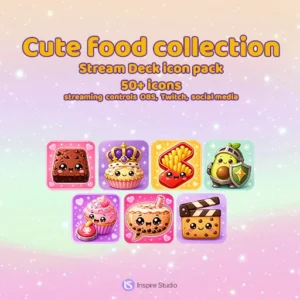
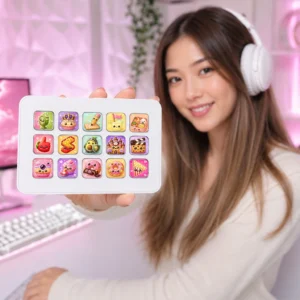
Cute food collection is a ready-to-download digital icon pack created for Stream Deck users, streamers, and content creators who want a clear and cohesive control setup.
Use the icons to organize everyday shortcuts and make frequently used controls easier to recognize at a glance. The coordinated visual style helps your Stream Deck look polished while keeping important actions quick to find during streams, recordings, editing sessions, and daily creator workflows.
Designed for an organized Stream Deck setup
This digital download is suited to creators building a personalized control surface for streaming tools, media controls, communication apps, productivity shortcuts, and other compatible actions. Arrange the included icons around your own workflow and combine them with other InspireStudio Stream Deck icon packs when you need more controls in the same visual style.
Instant digital download
After purchase, download the files from your InspireStudio account and assign them to your Stream Deck actions. No physical product will be shipped.
Plan a practical Stream Deck layout
Place the actions you use most on the first page, then group related controls such as scenes, audio, chat, social media, and utilities into separate folders. A consistent position for recurring actions makes the controls faster to scan during a live stream and reduces accidental clicks.
Before assigning the artwork, check the included files and choose the icon size that matches your Stream Deck model. Configure the actual actions in the Elgato Stream Deck software, test every shortcut before going live, and keep a backup of your finished profile so the layout is easy to restore or move to another computer.